MID.GGDownload for WindowsDownload for Mac
437

The Sunrise#0212

NAMaster 90 LPJungle mainRammus

Ranked Solo/Duo

This season
Master90 LP
54%113W 95L
  • Ranked FlexDiamond II · 41 LP35W 40L

Champions

Last 30 days
All champion builds and tier lists

Best matchups

In lane, last 30 days
80%
Last 30 days4W 1L5 ranked games
Average3.2 / 4.4 / 17.84.77 KDA · 6.2 CS/min
Most played

  • Rammus80%4W 1L
Roles
  • Top–
  • Jungle80%
  • Mid–
  • Bot–
  • Support–

Performance

Last 5 games
  • −215Gold lead @15
  • 68%Kill participation
  • 6.2CS per minute
  • 1.08Vision per minute
  • 0Solo kills

Match history

Ranked, last 30 days
  1. 1W 0L
  2. VictoryRanked Solo · 49:22
    Rammus
    ResolvePrecision
    1 / 6 / 366.17 KDA
    299 CS6.1/min · vision 52
    Sunfire AegisPlated SteelcapsThornmailDead Man's PlateProtoplasm HarnessJak'Sho, The Protean
    • Spoper
    • The Sunrise
    • yuwol
    • oop
    • RYM
    Rammus vs Qiyana: pro builds and VODs67% KP−720 gold @15Patch 26.22
  3. 2W 1L
  4. VictoryRanked Solo · 26:09
    Rammus
    ResolvePrecision
    3 / 7 / 152.57 KDA
    162 CS6.2/min · vision 26
    Plated SteelcapsSunfire AegisProtoplasm HarnessThornmail
    Rammus vs Qiyana: pro builds and VODs55% KP−2,734 gold @15Patch 26.22
  5. DefeatRanked Solo · 22:58
    Rammus
    ResolvePrecision
    4 / 5 / 72.20 KDA
    116 CS5.1/min · vision 32
    Mercury's TreadsSunfire AegisKindlegemControl WardThornmail
    Rammus vs Bel'Veth: Rammus builds73% KP+649 gold @15Patch 26.22
  6. VictoryRanked Solo · 28:09
    Rammus
    ResolvePrecision
    3 / 4 / 164.75 KDA
    189 CS6.7/min · vision 24
    Mercury's TreadsSunfire AegisProtoplasm HarnessGiant's BeltThornmail
    Rammus vs Udyr: Rammus builds66% KP+168 gold @15Patch 26.22
  7. FROM MID.GG

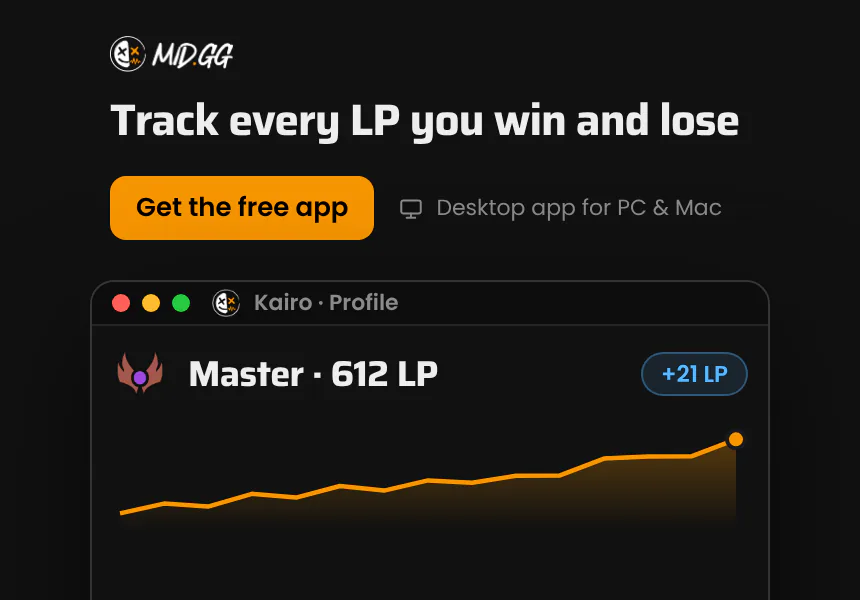
    Track every LP you win and lose. MID.GG logs each ranked game you play and graphs your LP, with what changed in each one. The MID.GG desktop app, free for Windows and Mac.
  8. 1W 0L
  9. VictoryRanked Solo · 18:46
    Rammus
    ResolvePrecision
    5 / 0 / 1520.0 KDA
    132 CS7.0/min · vision 23
    Jak'Sho, The ProteanBami's CinderMercury's TreadsThornmailGlowing Mote
    Rammus vs Talon: Rammus builds80% KP+1,562 gold @15Patch 26.21

About The Sunrise

The Sunrise#0212 is a Master jungle player on NA at 90 LP, with 113 wins and 95 losses in solo queue this season.

MID.GG recorded 5 of their ranked games in the last 30 days, won at 80%, averaging 3.2/4.4/17.8 and 6.2 CS a minute.

Their most played champion is Rammus: 5 of 5 games, won at 80%.

Questions

What rank is The Sunrise#0212?

Master in solo queue on NA with 90 LP, and Diamond II in flex. They have 113 wins and 95 losses in solo queue this season.

What champions does The Sunrise play?

Mostly Rammus (5 of their last 5 ranked games), mostly in the jungle role.

How is this profile updated?

MID.GG updates it each day from the ranked games it records. Games older than 30 days drop off the page.

Champion pool

Ranked, last 30 days · 1 champion
#ChampionRoleWorst matchups
1RammusJungle5
80% 4W 1L
4.77 KDA3.2 / 4.4 / 17.86.2−215Bel'Veth

Matchup pool

In lane, ranked, last 30 days · 4 opponents
#OpponentPlayed as
1vsQiyana2
100% 2W 0L
4.23 KDA2.0 / 6.5 / 25.56.1−1,727Rammus
2vsBel'Veth1
0% 0W 1L
2.20 KDA4.0 / 5.0 / 7.05.1+649Rammus
3vsUdyr1
100% 1W 0L
4.75 KDA3.0 / 4.0 / 16.06.7+168Rammus
4vsTalon1
100% 1W 0L
20.0 KDA5.0 / 0.0 / 15.07.0+1,562Rammus
Track your LP live. The free MID.GG desktop app for PC and Mac.
MID.GG

Your download is starting.Check your downloads folder.

Download & installation guide

Step 1

Open the file

Open the MID.GG Setup .exe from your browser's downloads list, usually in the top-right corner.

Step 2

Install

Once you open the file, MID.GG installs itself on your PC. If Windows asks you to confirm, choose Yes.

Step 3

Run the app

MID.GG launches as soon as installation completes. Sign in and it starts tracking your games.

Step 1

Open the file

Open the MID.GG .dmg from your browser's downloads list, usually in the top-right corner.

Step 2

Drag to Applications

In the window that opens, drag MID.GG into your Applications folder.

Step 3

Run the app

Open MID.GG from Applications. If macOS asks whether you want to open it, choose Open. Sign in and it starts tracking your games.

Trouble downloading? Join our Discord for setup support.

Get MID.GG on your computer

Send the download link to your inbox and open it on your PC or Mac.

Runs on Windows and macOS 11 or later. Not available on phones or tablets.