How to Track Summoner Spells in League of Legends

A missing Flash is a kill your team can plan. Here is how to time summoner spells, post them in chat, track the ability cooldowns that matter by role, and turn every window into a trade or engage.

To track summoner spells in League of Legends, note the moment an enemy uses Flash or another summoner, then post the game time it comes back in team chat so all five players work from the same window. Track a few ability cooldowns the same way: ultimates, dashes and hard crowd control. A champion without Flash or their escape is a kill your team can plan, not a coinflip.

Key takeawayThe three rules of cooldown tracking

A cooldown only helps you if you write it down and act on it before it returns.

  1. Post every enemy Flash as the game time it comes back, never the time it was used.
  2. Track one or two abilities per enemy that decide fights, usually the ultimate and the escape.
  3. Trade or engage hard inside the window, and back off before the timer runs out.

Why Flash timers decide kills

Flash decides kills because it is the escape and the engage tool on almost every champion in the game. When one side has it and the other does not, the fight is lopsided before anyone presses a button. A squishy bot laner caught by a hook with Flash up walks away; the same bot laner without Flash dies.

The value of a burned Flash is the time it buys. When the enemy ADC flashes to dodge your jungler’s gank, the next five minutes are a window where any engage on that player is far more likely to convert. Your jungler can path back to bot, your support can step up for hooks, and your mid laner knows a roam has a real target. The diagram below shows the loop: the enemy burns Flash, you type the timer, and the whole team knows when the engage window opens and closes.

A five-minute timer bar from the moment the enemy Flashes at 12:40 until it is back at 17:40. Nearly the whole bar is shaded as safe to engage, with the last thirty seconds marked as the time it may be back soon.
Five minutes without Flash: type the timer in chat and the whole team knows the engage window.

Low elo versus high elo

In Iron through Gold, most players never track anything, so a single teammate who posts timers gives the team an edge the enemy simply does not have. Your jungler may not read chat every time, but the ones who do will gank the lane with no Flash. From Diamond up, timers are expected. Players there punish missing Flashes quickly and also bait you into acting on a timer that is wrong.

Timers drift for one main reason: summoner spell haste. Before you trust a timer late in the game, open the scoreboard and check the enemy’s runes and boots. If they are running summoner spell haste, their Flash returns earlier than the base timer, so treat your window as shorter than it looks.

How to track summoner spells by typing timers in chat

The fastest way to track summoner spells is to post the return time in team chat the moment the fight ends. A timer that lives only in your head helps one player; a timer in chat helps five, and it stays on screen when you forget it.

Use the scoreboard shortcut

In the current client you can open the scoreboard with Tab and click an enemy’s summoner spell icon to announce it in team chat with its cooldown. This is the quickest method and the least error-prone, because the game does the math. Make it a reflex: fight ends, hold Tab, click the spell that was used.

Manual shorthand that teammates read at a glance

When you type by hand, use three parts: role, spell, return time. Write the role (top, jg, mid, bot, sup), a short spell tag (f for Flash, tp for Teleport, ign for Ignite, heal, exh, barrier, cleanse), and the game-clock time the spell is back, written as the digits on the in-game timer. Writing the return time instead of the use time means a teammate glances once, compares it with the clock and knows the answer with no arithmetic.

If you are not sure of the exact second, round the return time slightly earlier rather than later. An early estimate makes your team play a little safe; a late estimate gets someone killed by a Flash they thought was down.

When to type and when to ping

Type after the play, never during it. Mid-fight, a ping on the enemy’s summoner icon or the champion is enough; once the fight resolves, post the full timer. Update chat when a spell is used again, and repeat the timer when it is about to matter, for example right before a Dragon or Baron Nashor setup, because old messages scroll away.

Key ability cooldowns to track by role

Beyond summoner spells, track one or two abilities per enemy that change fights: the ultimate, the dash or blink that lets them escape, and any hard crowd control. You cannot track everything, so pick by role. Ultimates matter most once champions hit their level 6 and item power spikes.

Top

Top laners should track Teleport on both sides of the lane. Your opponent’s Teleport tells you when they can join a bot fight or a Rift Herald contest; your own tells you when you can match it. In a matchup like K’Sante versus Jayce, track the ability each champion uses to disengage, and only commit to an all-in when it is down.

Jungle

Junglers track enemy laner Flashes to choose gank targets: the lane with no Flash is the lane you path toward. Before an objective, know whether the enemy jungler has Smite ready, and track their ultimate if it is a gank or engage tool. A jungler who walks into bot with a global or long-range ultimate down is far easier to fight.

Mid

Mid laners track Flash and Ignite or Teleport on their opponent, plus any ultimate that roams. When Twisted Fate’s R or Galio’s R is up, warn side lanes; when it is down, you have a safe window to shove and roam yourself. Pair this with minimap awareness so you notice the enemy mid leaving lane even when you missed the cast.

Bot and support

Bot lanes track Flash, Heal, Barrier, Exhaust and Cleanse on both enemies, then the abilities that start or end fights. Track the enemy support’s main engage, such as Thresh’s Q or Blitzcrank’s Q, and the ADC’s escape, such as Caitlyn’s E or Ezreal’s E. If the hook missed, you have a short window to trade freely; if the ADC’s escape is down, a hook or a gank becomes lethal.

  • Top: Teleport on both sides, the enemy’s disengage ability, enemy jungler Flash.
  • Jungle: every laner’s Flash, enemy jungler Smite and ultimate before objectives.
  • Mid: enemy Flash and Ignite or Teleport, roaming ultimates, enemy jungler position.
  • Bot: Flash, Heal or Barrier, the ADC’s escape ability.
  • Support: enemy support’s engage, enemy ADC’s escape, enemy jungler Flash.

Using cooldowns to trade and engage

Tracked cooldowns only pay off when they change what you do. The rule is simple: step forward when the enemy’s key ability or summoner is down, step back before it returns. Everything below applies that rule to lane, skirmishes and teamfights.

Trading in lane

In lane, the cleanest trade comes right after your opponent uses the ability they would trade or escape with. If the enemy Caitlyn uses E to reposition or last-hit, walk up and trade before it is back. If the enemy support throws their hook at a minion, that is your signal to take a short trade. The full method is in our guide to trading in lane; cooldown tracking tells you when to apply it.

Engaging in skirmishes and teamfights

In teamfights, count enemy Flashes before you group. If the enemy carries have burned Flash and the enemy engage support has used their main tool, your team can force a fight on your terms. If their key ultimates are up and yours are not, wait or trade objectives elsewhere. Our guide on how to teamfight covers positioning; cooldowns tell you whether to take the fight at all.

Baiting cooldowns in high elo

Against players who track your cooldowns, use that against them. Show yourself just inside hook range to draw the ability, then punish when it is spent. Walk up as if your Flash is down to invite an engage your jungler is waiting to answer. This only works when you know your own timers as well as theirs.

  • Is the enemy’s Flash down, and when does it return?
  • Is their escape ability or main engage on cooldown right now?
  • Are my own Flash and key ability up?
  • Does my jungler or support know the window exists?
  • Do we finish the play before their timer comes back?

Run through that list before you commit. Then practice the habit until it costs no attention. The drills below each have a goal you can measure in a single game.

  1. Scoreboard reflex (normal games): after every fight involving a summoner spell, hold Tab and click the used spell. Goal: no fight in the game ends without a posted timer.
  2. Lane laner log (normal games): post your lane opponent’s Flash and their escape ability every time they use it. Goal: zero missed Flashes on your lane opponent across a full game.
  3. Return-time check (normal games): each time an enemy Flash returns, compare it with the timer you posted. Goal: every posted timer matches or runs slightly early.
  4. Window punish (normal games): each time your opponent’s escape or Flash is down, take one trade or call one gank. Goal: at least one forced trade or gank call per enemy Flash you track.
  5. VOD tracking (review): watch a high-elo game and pause after each fight to write down the cooldowns used. Goal: list every summoner used by both sides in the first fight of the laning phase.


For the review drill, use games from streamers and pro players in MID.GG’s library. The three below cover a bot lane, a mage pick in bot and a top-lane duel, so you can practice tracking from different seats.

Deft's Caitlyn vs Jhin, Grandmaster, 18 May 2025Watch for: after each enemy summoner is used, pause and write the return time before the next trade.Deft Caitlyn vs Jhin

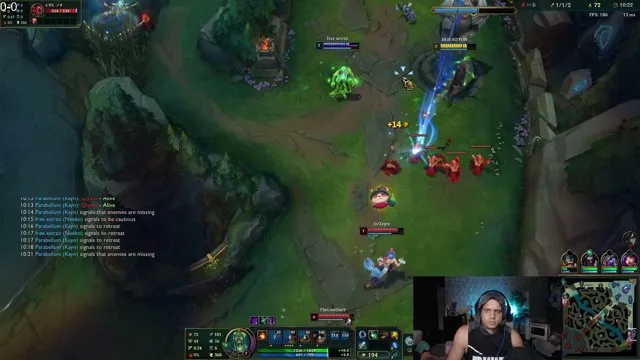
loltyler1's Brand vs Yunara, Challenger, 8 Oct 2026Watch for: does the player step forward when the enemy bot lane's Flash or escape is down, and back off before it returns?loltyler1 Brand vs Yunara

Burdol's K'Sante vs Jayce, Grandmaster, 6 Oct 2026Watch for: note when each top laner's Teleport is used and whether either side commits to an all-in while it is down.Burdol K'Sante vs Jayce

Common mistakes when tracking cooldowns

Most tracking errors come from either not posting the timer or posting one that is wrong.

  1. Writing the time Flash was used instead of when it returns

    Why it happens
    It is faster to read the clock at the moment of the play than to add the cooldown.
    The fix
    Use the scoreboard click, which posts the return time for you, or always type the return time by hand.
  2. Tracking everything and remembering nothing

    Why it happens
    Players try to log every ability on all five enemies and lose focus on their own lane.
    The fix
    Limit yourself to summoners plus one or two fight-deciding abilities per enemy, chosen by your role.
  3. Ignoring summoner spell haste

    Why it happens
    The base timer is easy to remember, and runes and boots are easy to overlook.
    The fix
    Check enemy runes and boots on the scoreboard and treat the window as shorter when they run summoner spell haste.
  4. Typing during the fight

    Why it happens
    Players want to share information immediately and stop playing for a few seconds.
    The fix
    Ping the spell during the fight and type the full timer only once the fight is over.
  5. Tracking enemy cooldowns but not your own

    Why it happens
    Your own spells feel obvious until you engage without Flash.
    The fix
    Glance at your own Flash and key ability before every trade, the same way you check theirs.
  6. Posting a timer and never acting on it

    Why it happens
    Tracking becomes a habit while the follow-up play does not.
    The fix
    Attach one action to each tracked window: a trade, a gank call, or a roam.

Putting it into practice

Start with one habit in your next game: after every fight, hold Tab and click the enemy summoner that was used. Once that feels automatic, add your lane opponent’s escape ability, then the enemy jungler’s Flash and ultimate. When the timers are posted, make one play per window.

When you want to check which abilities your matchups hinge on, look the champion up on our champions pages, and browse all guides for the trading and teamfight fundamentals that turn a cooldown window into a kill.

Frequently asked questions

How long is the Flash cooldown in League of Legends?

Flash has a five-minute base cooldown. Summoner spell haste from runes and boots shortens it, so check the enemy’s runes and boots on the scoreboard before trusting a timer. When unsure, assume Flash returns slightly earlier than your estimate so your team plays safely rather than walking into an unexpected Flash.

How do you track summoner spells in League of Legends?

Open the scoreboard with Tab and click the enemy’s used summoner spell to post its cooldown in team chat. If you type manually, write role, spell and return time, such as bot f followed by the game-clock time it comes back. Post right after the fight so every teammate plays around the same window.

Should I type when Flash was used or when it comes back?

Always type when it comes back. A return time lets teammates glance once, compare it with the game clock and know immediately whether Flash is up, with no arithmetic. A use time forces everyone to add the cooldown mid-game, which leads to mistakes and missed engage windows.

Which cooldowns should junglers track?

Junglers should track every enemy laner’s Flash to pick gank targets, the enemy jungler’s Smite before Dragon, Rift Herald or Baron Nashor, and the enemy jungler’s ultimate if it is a gank or engage tool. Path toward the lane with no Flash and contest objectives when the enemy jungler’s key tools are down.

Is it allowed to use tools to track enemy cooldowns?

Use the in-game tools: the scoreboard lets you click an enemy summoner spell to post its cooldown in team chat, and pings share it mid-fight. These are part of the client and fully allowed. Avoid third-party programs that read game data automatically, because they can break Riot’s terms of service.

Sources

  1. Riot Games: How to play League of Legends

See these fundamentals in high-elo VODs

  • Jump straight to any moment: kills, objectives, teamfights
  • See the exact build path and rune page at every minute
  • Thousands of pro and Challenger VODs, updated daily
Champion pages
Free · Windows · no account needed